

[ Outcome Measures ]

Standardised Questionnaires, Scored Automatically

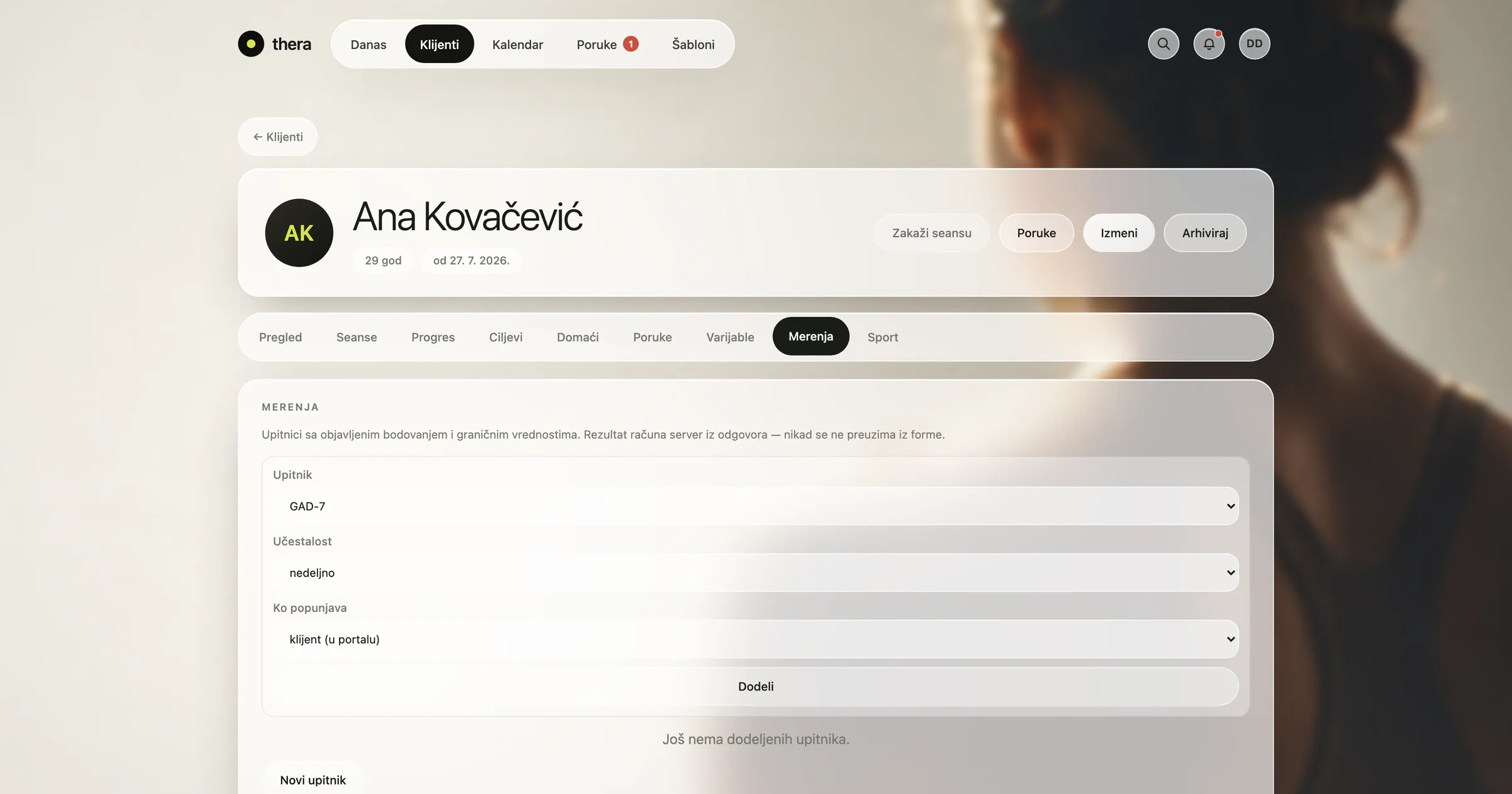
Administer standardised questionnaires in the app, score them automatically, and see outcome measures change over time on each client's timeline.

Header image
[ Tutorial ]

Outcome measures features

Macbook mockAssigning an outcome questionnaire in thera
Administering Questionnaires

Send a standardised questionnaire to a client from inside thera, to complete before a session or between appointments.

  • In-App Delivery: Send a standardised questionnaire to a client without leaving thera.

  • Client Access: Clients complete questionnaires themselves, on phone or desktop.

  • Instrument Choice: Pick from a set of standardised instruments suited to the area you're assessing.

[ Practice management software ]

Standardised measures, scored automatically

Small abstract cube image.

Administer and score in one step

  • Send standardised questionnaires to clients directly in the app, ready to complete before or between sessions.
  • Responses are scored automatically using the instrument's standard scoring rules, with no manual tallying.
  • Each completed questionnaire is saved to the client's record alongside session notes and history.
  • Choose from a set of standardised instruments suited to the areas you assess most often.
Small abstract cube image.

Track change over time

  • See how a client's scores move from one administration to the next, laid out on their timeline.
  • Compare current results against earlier ones to see whether change over time is measurable.
  • Review a client's outcome history in one view, alongside notes from the same period.
  • Keep a clear record of when each measure was given and what it showed, for your own records.
Small abstract cube image.

Standardised measures, clearly organised

  • Results sit next to the goals and variables you're already tracking, for one consistent view of progress.
  • Keep every administered measure organised by client and by date, without separate spreadsheets.
  • Scoring stays consistent because it follows the instrument's own rules every time.
[ What makes us stand out ]

What makes thera different

Simple to get started

thera comes ready to use, with sensible defaults for scheduling, notes, and client records, so your practice can start working in the app without a long setup process.

Built for therapy practice

thera is designed around how psychologists, psychotherapists and counsellors actually work — session structure, progress notes, client records, and secure client contact — not adapted from a generic business tool.

Onboarding led by people who understand clinical work

Support and onboarding come from people familiar with clinical practice, so setting up your calendar, client records, and billing reflects how a practice actually runs, not a one-size-fits-all template.

Secure, structured record-keeping

Client data stays organised in one place, with practice-level isolation and encrypted clinical text, so records, notes and history stay exactly where they belong.

We work alongside your practice

We treat your practice's needs as central to how thera develops, listening to how psychologists and clinics actually use scheduling, notes, and client records to guide what we build next.

Abstract banner
[ thera at a glance ]
Art. 9Health data handled under GDPR
AES-256Encrypted clinical records
Per-practiceData isolation between practices
By designBuilt with a practising psychologist
[ FAQ ]

Frequently asked questions

Find out more
[ One platform. 360º visibility. ]

Everything you need to track outcomes in one place

Practice Overview

See sessions per week, attendance, and workload by day and hour, with a clear view of what still needs review.

Session Notes

Structured session notes, a full client dossier and encrypted clinical text — with templates, anamnesis and a clear split between internal and shared notes.

Progress Tracking

Track long- and short-term goals to completion, follow measurable variables session by session, and see charts and patterns across episodes of care.

Scheduling

Run your practice calendar from one place — appointments, recurring sessions, reminders, cancellations and a waitlist, plus booking requests clients submit themselves.

Video Sessions

Hold 1:1 video therapy sessions directly inside thera. No separate meeting link — the session sits on the client record, ready for the note that follows.

Billing and Payments

Set a price per session, track payments per client, and see what's settled and outstanding across your practice.

Client Portal

Give clients their own view of their plan, homework, and appointments, with self-booking and secure messaging, on phone or desktop.

[ Join the thera Community ]

Built with a practising psychologist

Join those who have put their trust in us